- 24-11-2023
- 08:00
- timer 3 minutes
Top 10 ERP features
Welcome to our guide to the 'Top 10 ERP features' that every business should know. In this easy-to-follow introduction we explain how an ERP package, with features ranging from bookkeeping to project management, helps your business run more smoothly. Whether you want to manage your finances better, organise your projects more efficiently, or improve your production process, these top 10 ERP features show how versatile and valuable ERP systems can be for your business.
1. Project management
Managing projects in ERP software.
Benefits:
- Overview of all projects.
- Assigning tasks to employees.
- Insight into progress and budgets.
Who is it for?
- Teams who want to easily follow and steer their projects.
2. Inventory management
Managing inventory in an ERP package.
Benefits:
- Track your inventory in real time.
- Less chance of human error when keeping track of inventory.
- Place orders for new purchases directly from the ERP system
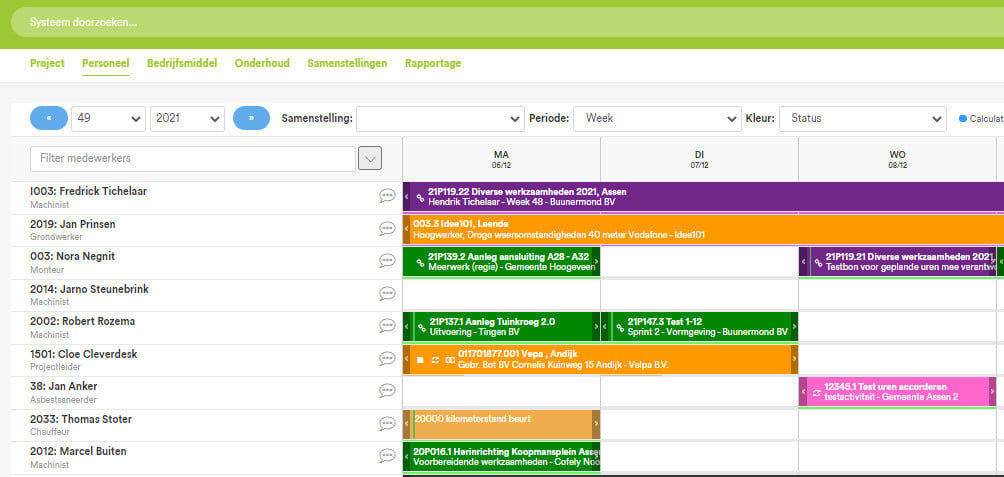
3. Resource planning
Resource planning helps you deploy resources smartly. Think of people, machines and materials and assigning them to different projects. This makes sure resources are available in the right place at the right time.
Benefits:
- Spot bottlenecks in time
- Better decisions about the deployment of resources
- Higher productivity
Example:
Imagine Jansen Construction has three building projects running at the same time. Without resource planning they could run into situations where excavators sit unused at one building site while they are urgently needed at another. Or where there is a shortage of tiles for Project A because they were accidentally delivered to Project B.
With the ERP system, Jansen Construction can see where each machine is, which materials have been delivered where, and whether staff are available to move between projects. This way they make sure every project runs smoothly and avoid costly delays and mistakes.
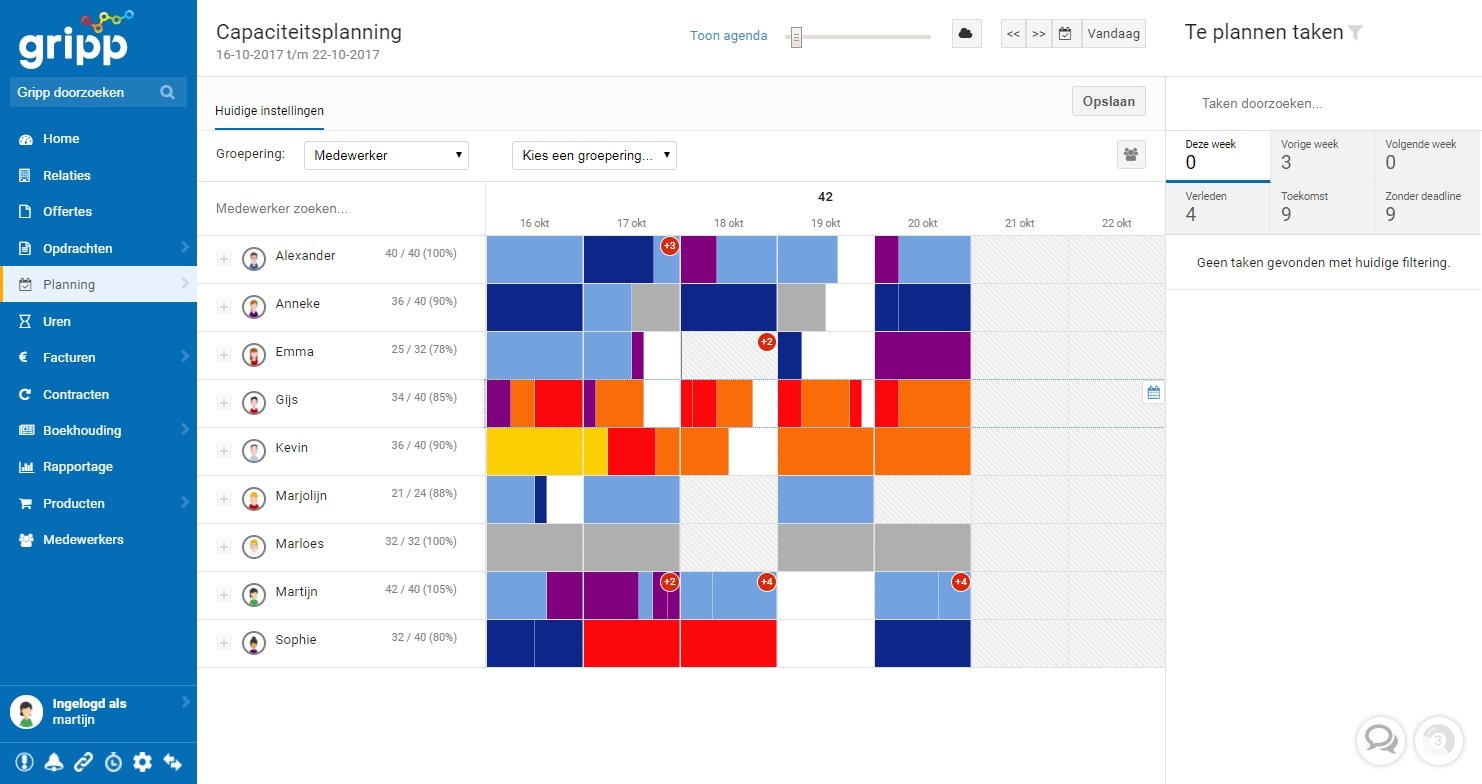
4. Capacity planning
View the planned capacity in the ERP system. This makes sure there is enough capacity available to meet demand. Think of machines, workstations and employees.
Benefits:
- Spot bottlenecks in the planning in time.
- Better decisions about the deployment of people and resources.
Who is it for:
- Companies that want to plan efficiently.
- Teams who want to deploy all their people optimally.
5. Invoicing
Create and send invoices yourself from the ERP system.
Benefits:
-
The software picks up data from an order or project itself and puts it on the invoice. This means less investigation work and a smaller chance of errors.
-
Your invoice is ready in a few clicks, without having to enter all the details manually.
6. Project planning
Planning projects in the ERP system.
Benefits:
- Overview of all tasks and deadlines.
- Everything in one place: no more separate schedules.
- You know exactly who does what and when.
Who is it for?
- Teams who want to plan better.
- Organisations that want to keep an overview across several projects.
7. Bookkeeping
Manage your bookkeeping within the ERP system.
Benefits:
- No separate system needed for the bookkeeping.
- Financial data and operational data in one system.
8. Production
This is how you plan production in the ERP system.
Benefits:
- You see at a glance what and how much you need to make.
- Distribute the work better and reduce waiting times.
- Produce more efficiently.
Who is it for?
- Manufacturing companies that want more insight into the production process.
9. Stock alert
Receive an alert when stock is low with the ERP package.
Benefits:
- Preventing shortages
- Ordering in time
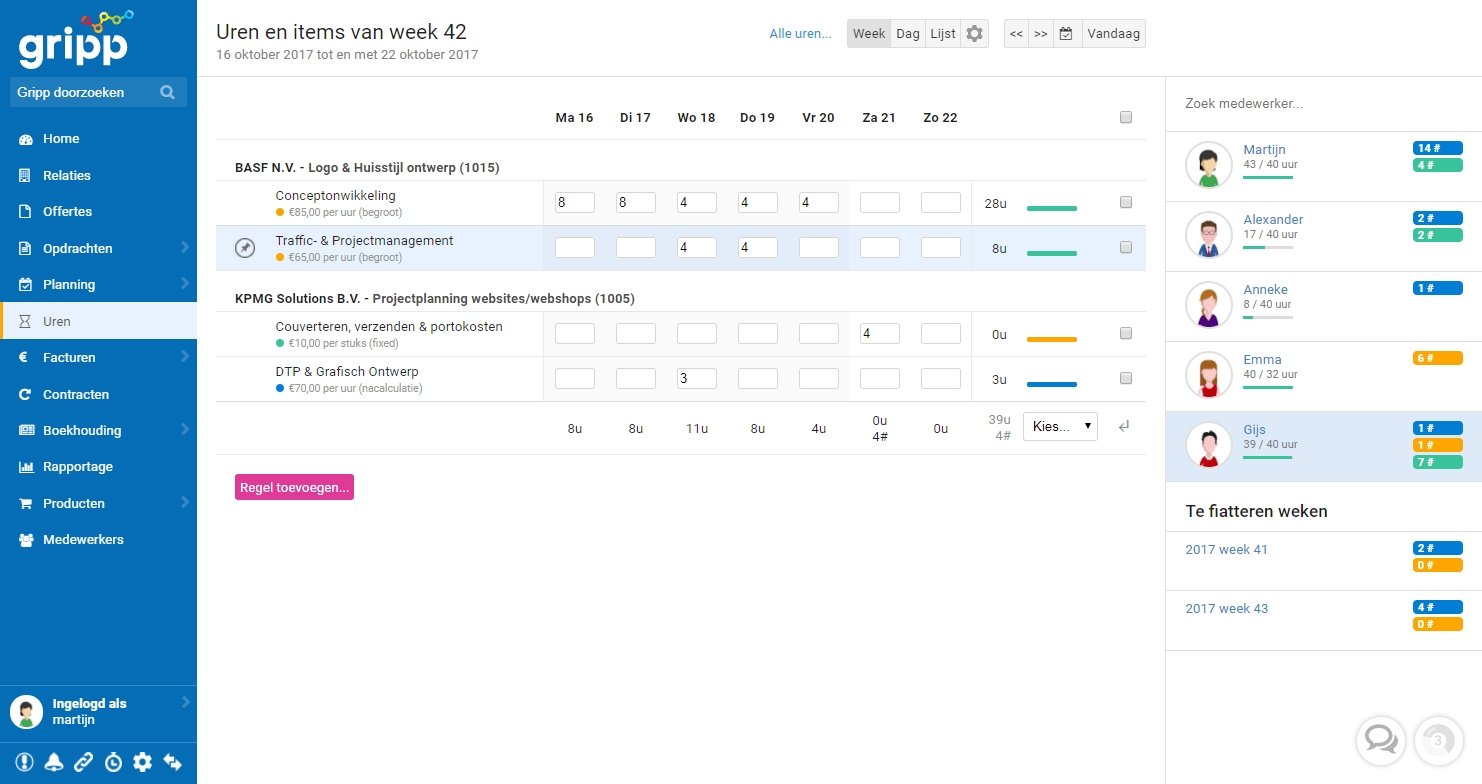
10. Time registration
Record the hours worked per project in the ERP system.
Benefits:
- Know how much time is spent on each project.
Who is it for?
- Teams who want to manage their time efficiently.
- Companies that want to monitor hours and budgets accurately.
Conclusion
After exploring the 'Top 10 ERP features', you see how important these systems are. They not only make your daily work easier, but also help your business grow. Whether it is about organising your projects better, improving your production, or keeping track of your inventory and finances, ERP systems offer solutions that really work. With this information we hope you can get the best out of your ERP system, so that your business can flourish and grow.
Software advice from SoftwareWatcher
Do you need advice on the best software? Get in touch now and we will draw up a list of the best software for your organisation.
Non-binding and without obligation