Auke Westra
- 1 to 5 employees
- IT
Reviewed on 14-09-2022 11:05
This profile has not yet been claimed by the vendor. The information shown was compiled by SoftwareWatcher and may not be fully up to date.
Create successful quotations that radiate your passion
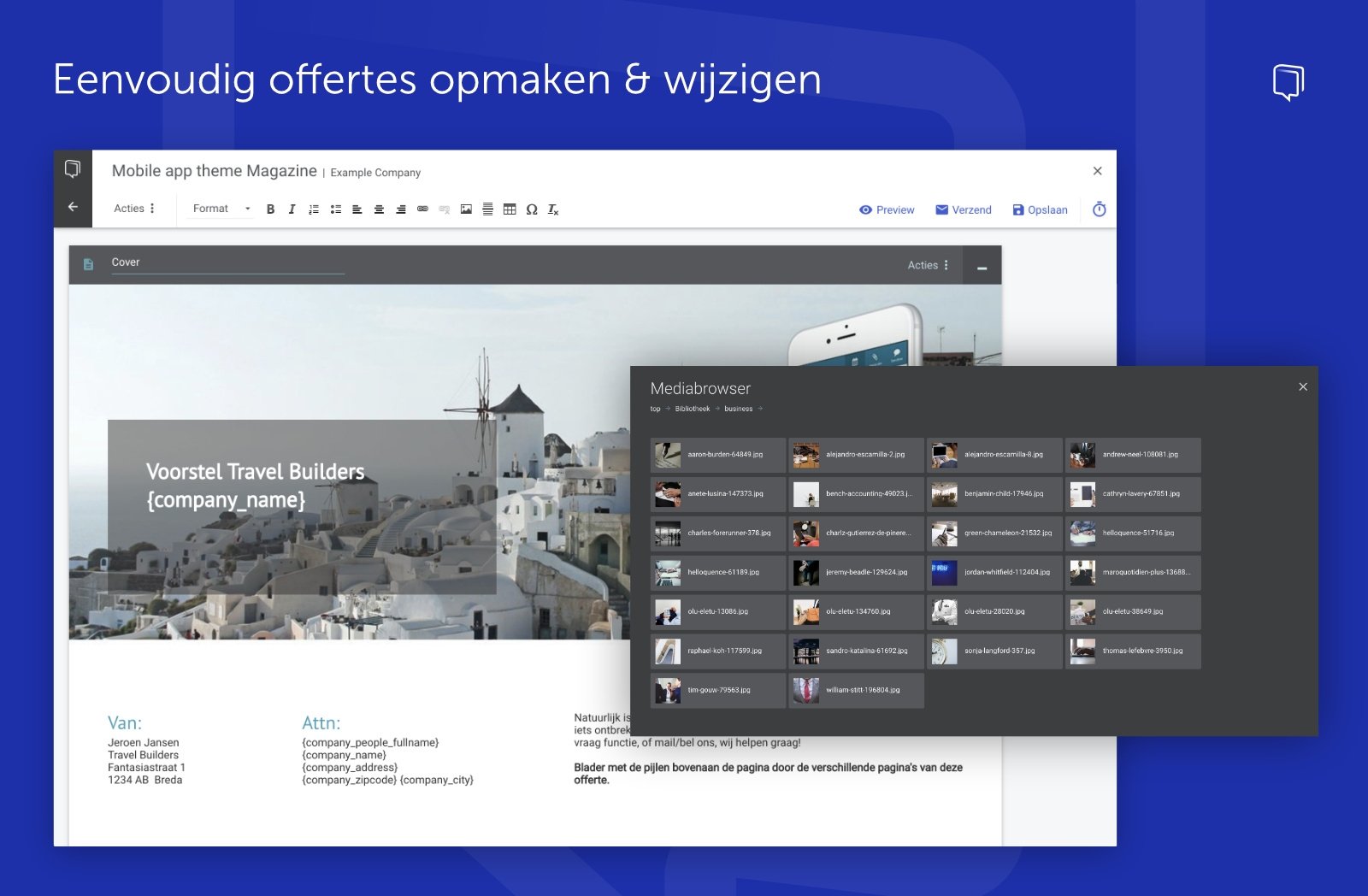
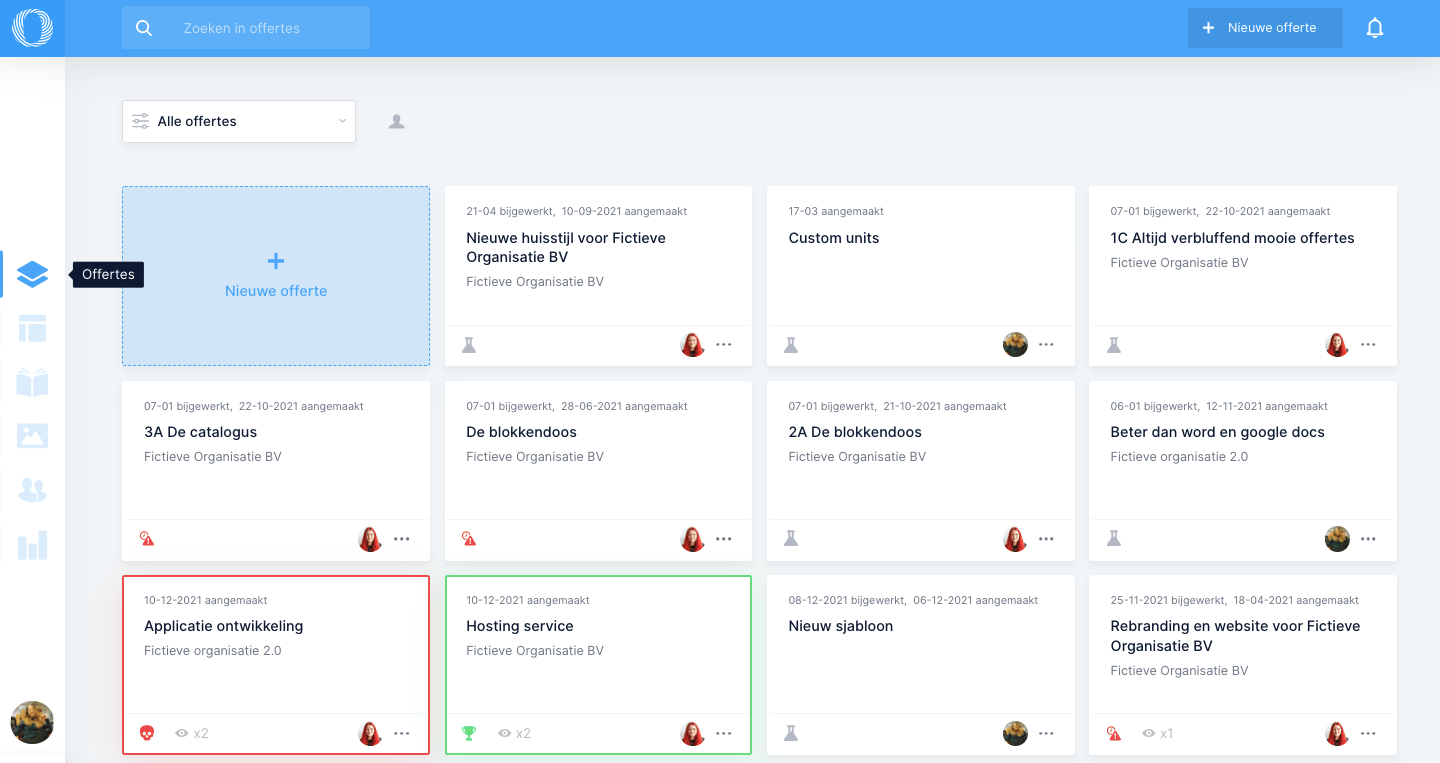
Convince customers with beautiful interactive quotations that tell your story. No hassle with Word and PDF. From your browser you quickly create automated quotations that help you in the sales process. This way you impress customers, can follow up at the right moment and win the assignment.
Submitting a quotation is an important step in the sales process. By creating quotations online with Offorte you take them to a higher level, save time and maximise the result. Concentrate on the content; the rest is automatic.
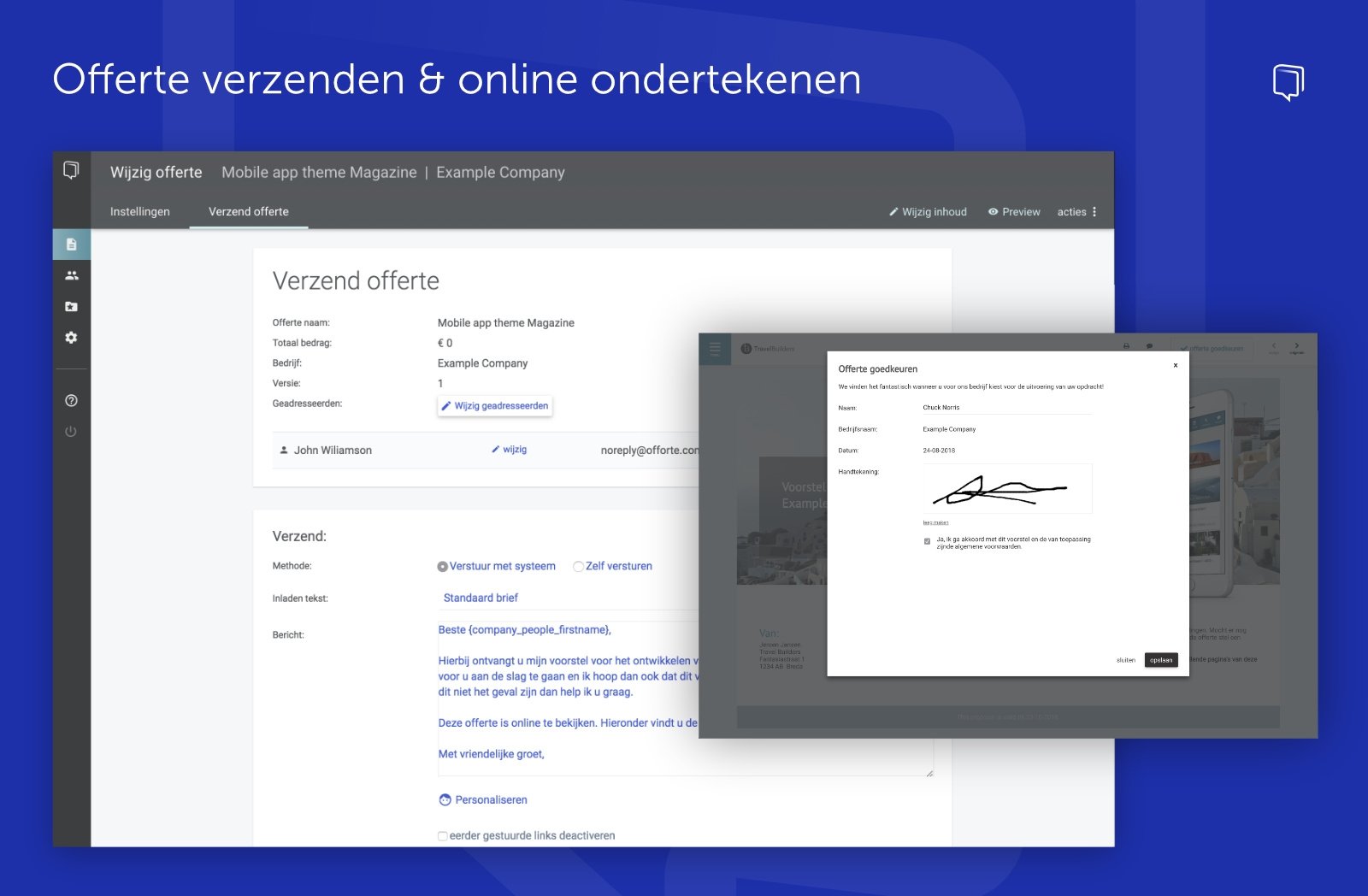
A digital signature is the placing of a signature under a digital document. This is an electronic version of the physical signature with pen and paper. It lets your customers sign quotations easily and quickly.
Want to know everything about placing a digital signature? Then read our article on Why a digital signature.
This lets you easily manage multiple versions of a quotation. The quotation software stores the quotations that have been drawn up, so you know exactly which changes have been made.
Automatically send the general terms and conditions along when sending a quotation, so you no longer have to think about it.
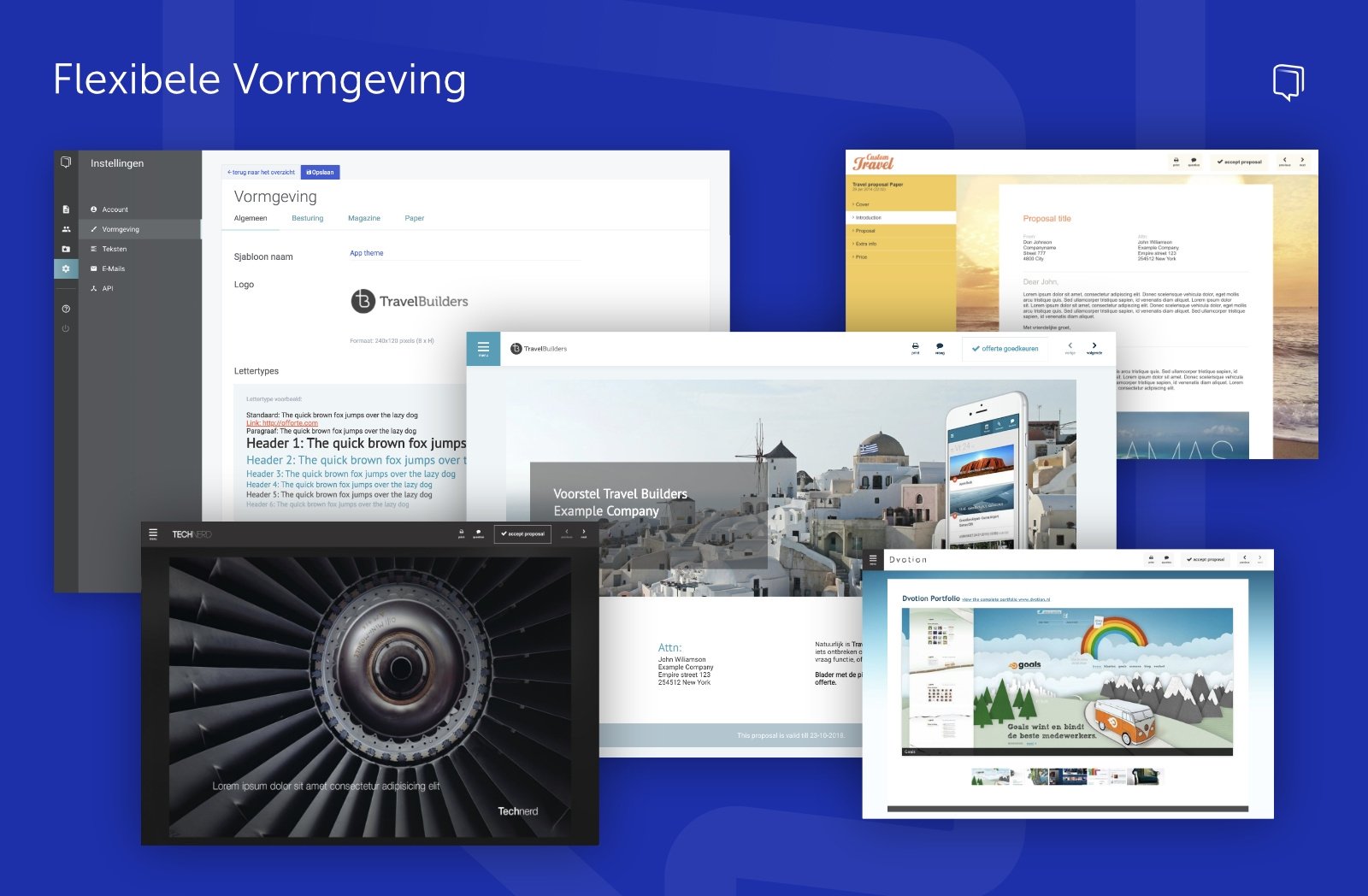
Quotations can be designed entirely yourself based on your own house style.

With this function, customers can accept a quotation online via the browser. This saves time and effort. No physical signature is needed, so you do not have to print the quotation either.

Examples: ministries, water boards, provinces, municipalities, the UWV (Employee Insurance Agency), the police and institutions with a public task.
When you have a document signed, you want to be sure the signature is placed by the right person. For this the signatory must be identified as well as possible, so that the sender knows who has signed the document. Common methods of authentication are the following:
In 2016 a new European regulation came into force which states that a digital signature has the same legal effect as a handwritten signature. A digital signature therefore leads to a legally valid agreement that is legally binding.
Digital signing is therefore just as legally valid as a signature on paper. It is legally valid with evidential value. A digital signature has a qualified certificate, which proves that the signature is reliable. The certificate links the identity of the signatory to the digital signature and links the signature to the document.
The ability to have a document signed by several people.
The ability to also send several attachments along after digitally signing a contract.
Keeping track of the progress of the signing process. For example insight into whether a contract has been viewed, or receiving a notification when a contract has been signed.
The quotation is available online via the web browser. The quotation can be accessed via a so-called magic link. This link takes you to a secure environment in which the quotation is shown. This environment opens in the web browser and can be seen as a kind of website.
The quotation is available online in the browser, so (potential) customers can easily ask questions about the quotation. The replies are also displayed online in the same browser. This lets you keep track of the dialogue and avoid a long and confusing email exchange.
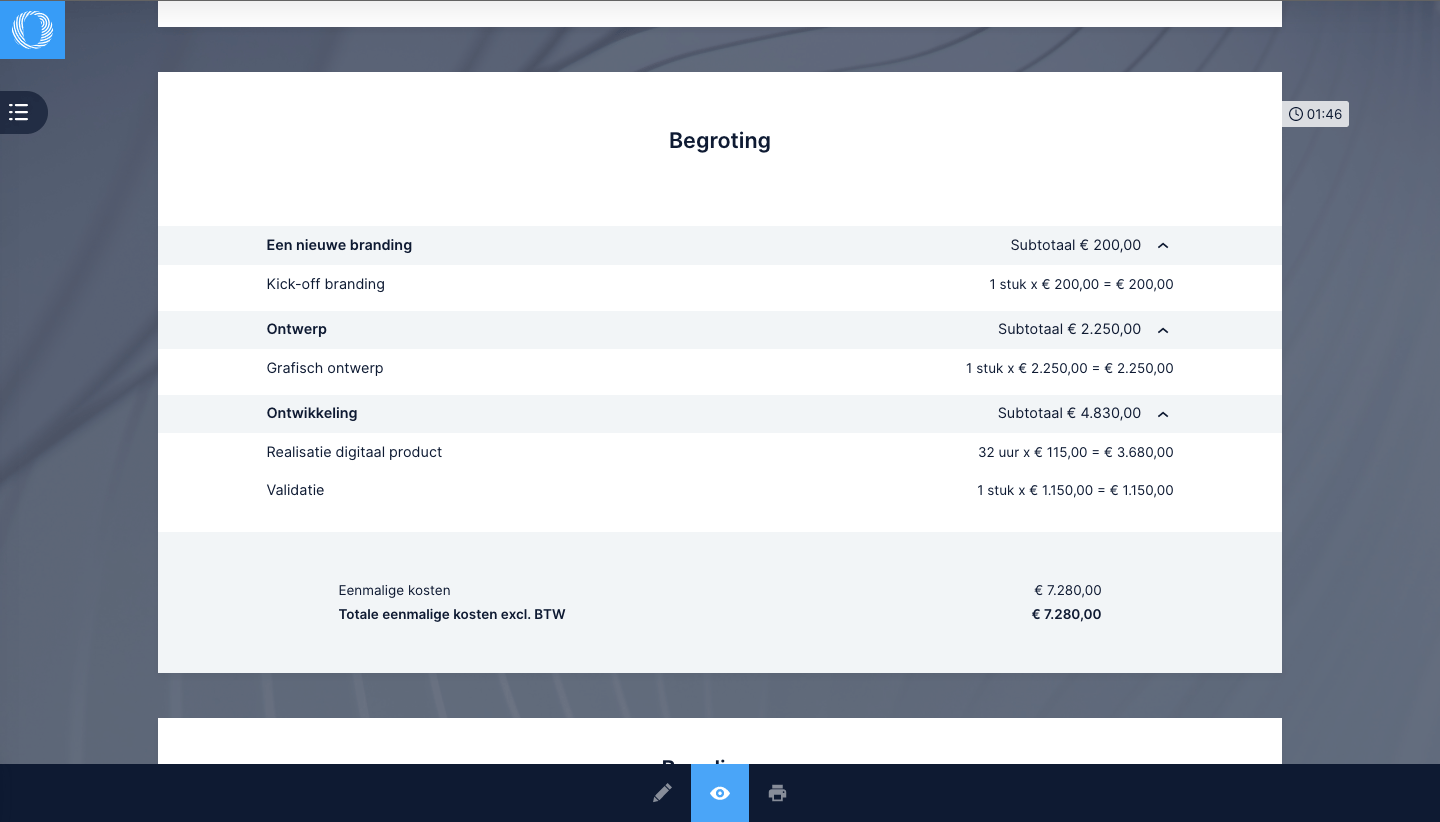
Showing discounts and (sub)totals on a quotation so that customers get a better overview of the pricing.

The quotation can be converted into an invoice with the quotation software.
Using preset quotation templates. A template is a preset layout of the quotation. It is possible to store multiple templates in the quotation software. Think, for example, of a template for a specific industry or customer group.

A complete overview of the status of all quotations. Here you can quickly see which quotations have been approved, rejected or are awaiting a response.

The quotation software can show 3D visualisations of products.
Converting accepted quotations into contracts. The quotation software automatically transfers the quotation data to the contract.
Converting an approved quotation into an order. This immediately starts the follow-up process, so you no longer have to set it in motion manually.
The quotation software can convert a quotation into an order, work order or project so that employees can get started straight away.
Use the quotation software to make a pre-calculation for drawing up a quotation.
The software supplier gives a demonstration/explanation of the software's capabilities:
Auke Westra
Reviewed on 14-09-2022 11:05
Femke
Reviewed on 23-12-2020 15:18
Sjaak
Reviewed on 23-12-2020 15:08
Software buyers need your help! Product reviews help others make good decisions.
Find out with SoftwareWatcher whether Offorte suits your organisation. Read real reviews from users and experts and compare all the relevant software features. We give an overview of all the software features relevant to your business processes. Offorte has the following modules:
With SoftwareWatcher you discover how Offorte saves you time. By digitising your organisation with Offorte, you cut costs and give your organisation structure.
Compare Offorte with other software for your industry and company size. Based on software features and prices, you can quickly and easily see whether the software is right for you. SoftwareWatcher offers a simple selection guide so that you can choose the best software yourself, even without any knowledge of software. Do you need advice on whether Offorte suits your organisation? The SoftwareWatcher experts will be happy to help and advise you on your choice. We ask you the right questions and check whether the software suits you. This is free and without obligation. Do you want to know whether the software integrates with other systems in your organisation? In the SoftwareWatcher integrations overview you can see straight away whether the software integrates with your existing systems. Is your existing software not in the overview? Then other solutions are always possible. Please contact the software supplier about this.
Want to get a real impression of Offorte? You can often request a trial period or a software demo for this. With a trial period you get access to the software for a number of days and can test for yourself whether it suits you. If you request a software demo, the software supplier explains the software to you personally. During a software demo you can ask all your questions about the software, which is how you find out how good the software really is. Are you looking for alternatives to Offorte? SoftwareWatcher gives an overview of the best software alternatives, so you know straight away which systems to compare.
Examples: ministries, water boards, provinces, municipalities, the UWV (Employee Insurance Agency), the police and institutions with a public task.
Examples: construction companies, painting companies, installation companies and insulation companies.

from € 35 per month

from € 14,50 per month

from € 123 per month

from € 50 per month